Pages

Monday, October 29, 2012


**Remember**
Photo Manipulations are due:
A day: Friday November 2nd
B day: Monday November 5th
 
**What is Due**
~ apple/orange tutorial
~ apple/face tutorial
~ 2 of your own photo manipulations
(created by you with your own photos)
 
This assignment is worth 100 points!!!


Monday, October 8, 2012

Visual Design COLOR

Click on this link here --->> to go to the color website. COLOR WEBSITE

Photo Manipulation

Photo Manipulations

Due A day Friday October 12th

Due B day Monday Octover 15th

Minimum of 20 photos due!!!

{You will probably want to take more}


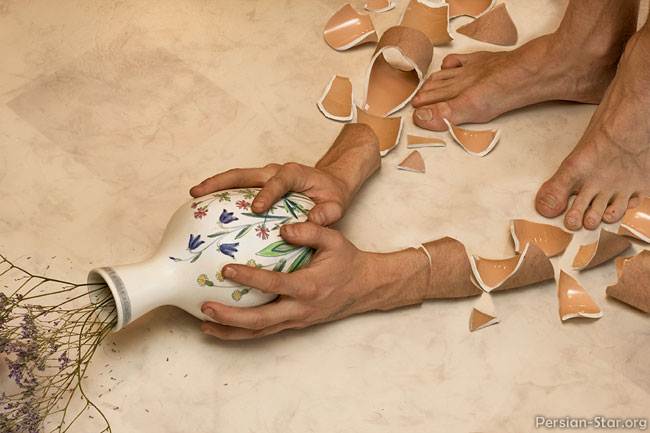
The assignment will be to combine 2-3 images together in Photoshop to create a photo manipulation. You will probably want to take numerous photos of the same subject from different angles to make sure you can combine your photos in a way that will work and look good! Look below for an example of what to take photos of and how to combine them together for the final product.


Three photos combined to create the final product


Friday, September 21, 2012

Visual Design for when I am gone.....

The assignment is on the board in the front of the room with a drawing if you have any questions.
Here is the assignment for Tuesday....

1. Get printer paper and draw a rectangle 2 inches tall by 9 inches wide. This will be your value scale. You need to draw 9 values from white to black. Make sure you shade as dark as you possibly can. the middle should be a midtone gray. I do not want to see any sort of line or smudge in your shading!

2. One the same paper create a rectangle with 6 values. Pick any colored pencil and shade from light to dark with 6 values.

3. after you are finished get a new piece of printer paper and draw and shade a circle into a sphere. There is an example on the board and an even better example in the 704 file. To get to the 704 file go here:  computer> 704 ETC> Shaum Photography> Visual design> Value

4. After you shade your sphere get a piece of art paper. You get to choose what you decide to draw. Whatever you choose you need to have all 9 values shaeded in the drawing. Make sure to make it neat and have a good design using everything we have learned thus far.

Please be respectful and helpful to you sub. See you Thursday!

Photography while I'm away.....

While I'm gone follow the notes on the board. This is what you will be doing.....

On the computer you will click on: Computer> 704 ETC> Shaum Photography> Photo 1> PS tutorials> #5 coloring.

There will be 4 different assignments in this folder. Do these assignments in order. In each file there will be an ASSIGNMENT folder. Open this up and it will tell you exactly what you need to do in a specific order. There are writen notes and a video to help you know what to do.

Please make sure to follow these instructions and save the images how I ask so I can grade them when I get back. Thank you so much!

Please work hard and be helpful and respectful to your sub! See you Wednesday.....

Tuesday, August 28, 2012