Pages

Monday, November 19, 2012

Camera Modes Homework Assignment

Camera Modes Homework Assignment

Due: Monday Nov. 19th

& Tuesday Nov. 20th


Your assignment is due today!!! {If you're asking "WHAT ASSIGNMENT" just scroll down to the post below this and you'll see the handout I gave you last week. This is due todoay!} Here is all the information you need to get it completed....
 
1. Put all 20 images on a contact sheet. {File>automate>contact sheet II} Make sure you cange the rows to 4, columns to 5, and resolution to 72!!!!
 
2. Pick your best images from each mode you used which were: sports mode (fast shutter speed), night mode (slow shutter speed), macro/portrait mode (small F-stop), and landscape mode (large F-stop) Edit and label each image in Photoshop however you want to make your photo look better. YOUR EDITS MUST BE REALISTIC!!! Also, make sure you save each image by what mode you used on your camera. Exampels would be "FinalSports, FinalLandscape, Macro, ect."
 
3. Put all 4 images on a contact sheet, but this time change your rows to 2, columns to 2, and your resolution is still at 72.
 
4. Print both contact sheets on the color printer. COM_ART 2025. Make sure your name and class period is on your paper and turn in your assignment to your class period's box in the front of the room. THIS IS DUE BY THE END OF CLASS!


Assignment for those who don't have your

photos/camera in class...

 
If you do not have your photos to turn in during class today you MUST DO THE BOOK ASSIGNMENT! Books are on my desk. Come and get one and get to work.
 
1. You will be reading the chaperer "DIGITAL CAMERAS" and writing about what you learn.
2. Your paper must be single spaced, 12 pt. font, and no changing the margins. You need to take up the entire page.
3. Choose 2 of the 4 topics listed to write about. If you want to write about more than 2 you can, but you have to at least write about 2.
Your 4 topics to choose from are:
        1. Page 206 "Getting started"
        2. Page 207 "Memory and resolutions"
        3. Page 208 "Choosing the quality you need"
        4. Page 2010 " Monitor and viewfinder"
4. Print this out on the black and white printer COM_ART 2035 and turn into your class periods box with your name and class period on it. YOU WILL GET POINTS FOR THIS, BUT IT WILL NOT MAKE UP FOR NOT DOING YOUR HOMEWORK ASSIGNMNET. YOUR PAPER IS WORTH ABOUT HALF THE POINTS, SO IF YOU WANT TO GET A BETTER GRADE YOU WILL HAVE TO TURN IN YOUR HOMEWORK ASSIGNMENT LATE.


Friday, November 16, 2012

Camera Modes Assignment


Camera Modes Assignmnet

Due Monday November 19th (B day)

Tuesday November 20th (A day)


Objectives: This assignment deals with the basic camera modes of your camera. Since most of you cannot adjust the shutter speed and aperture on your cameras we are using different camera modes to get the desired images.


  1. Motion - take ten photos of something in motion.  Five photos using SPORTS Mode and five using NIGHT Mode. Sports mode should help you stop motion and Night mode should help blur motion.  These pictures need to be thought out with good composition to earn credit!

(Slower shutter speeds blur motion and faster shutter speeds stop motion)


  1. F/STOP or APERTURE - Take ten photos. Five photos using the PORTRAIT or MACRO Mode (your choice) and five using the LANDSCAPE Mode. Take photos of five different objects. Photograph it once with portrait mode and once with landscape mode so we can see if there is a difference in the how the background looks. The idea is that portrait mode will make the background behind your subject more blurry and landscape mode helps make more things in focus. These pictures need to be thought out with good composition to earn credit!


Thursday, November 1, 2012

Photo 1 Substitute Assignment

Please do not start this assignment until your PHOTO MANIPULATION ASSIGNMENT IS COMPLETELY DONE! {requirements for what is due is on the white board} If you finish everything for the manipulation then go ahead and keep reading for your next assignment.....

First thing. Watch these 2 videos. They are quick and painless. You can watch them over if you need more help with these 2 tools when working on your own photos. You will be learning about the PATCH TOOL and the SPOT HEALING TOOL. These tools are like the clone tool that you already learned about, but used for different images. The spot healing tool especially is used to edit blemishes out of faces.


The next video you need to click on THIS LINK to watch the video. This will show you how easy it is to work with the spot healing tool.

After you watch these 2 videos go the the 704 FILE>PHOTOGRAPHY>PHOTO1>PS TUTORIALS>#9 SPOT HEALING  Directions on what to do will be in there along with your assignment that will be turned in later this week. Have fun!

Wednesday, October 31, 2012

Happy Halloween tutorial

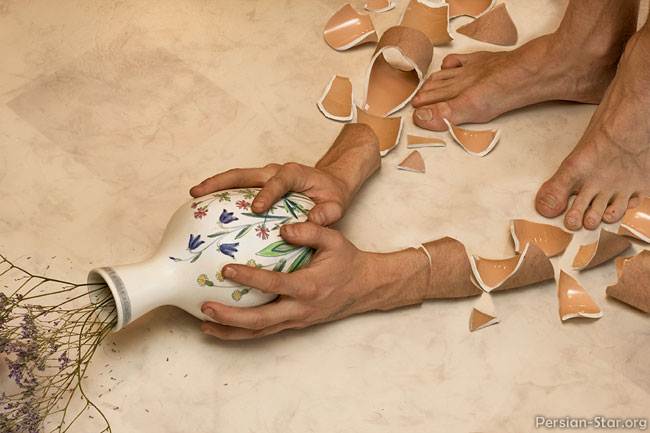
Today you have the chance to sever a HUMAN arm...


CREEPY!!!
 
If you want to work on this fine treat today click HERE for a full video and step by step tutorial on how to get the job done! There are pictures below that you can save to your desktop and open up in Photoshop to work on. You have your choice between arms, but everyone needs the meat!!!


Monday, October 29, 2012


**Remember**
Photo Manipulations are due:
A day: Friday November 2nd
B day: Monday November 5th
 
**What is Due**
~ apple/orange tutorial
~ apple/face tutorial
~ 2 of your own photo manipulations
(created by you with your own photos)
 
This assignment is worth 100 points!!!


Monday, October 8, 2012

Visual Design COLOR

Click on this link here --->> to go to the color website. COLOR WEBSITE

Photo Manipulation

Photo Manipulations

Due A day Friday October 12th

Due B day Monday Octover 15th

Minimum of 20 photos due!!!

{You will probably want to take more}


The assignment will be to combine 2-3 images together in Photoshop to create a photo manipulation. You will probably want to take numerous photos of the same subject from different angles to make sure you can combine your photos in a way that will work and look good! Look below for an example of what to take photos of and how to combine them together for the final product.


Three photos combined to create the final product